Showing posts with label Blogger Templates. Show all posts

More three column XML Templates

Minima White

It's a three column XML templates from Minima White.


Download XML Templates Now.

Minima Black


Black Templates are favorite to me.Here is a nice one.


Download XML Templates Now.

Minima Blue

Who likes blue Templates.Get it free from here.


Download Minima Blue

Minima Ochre


Download Minima Ochre

Son of Moto


Download Son of Moto Now.

Ms.Moto


Download Ms.Moto

Dots


Download Dots Now.

Dots Dark


Download Dots Dark Now.

TicTac


Download TicTac Now

Tic Tac Blue


Download Tic Tac Blue now.

Denim


Download Denim Now.

Denim Washed


Download Denim Washed now.

Denim Light


Download Denim Light Now.

897


Download 897 Now.

565


Download 565 Now.

Thisaway


Download Thisaway Now.

Thisaway Blue


Download Thisaway Blue Now

Rounders(01)


Download Rounders(01) Now.

Rounders(02)


Download Rounders(02) Now.

Rounders(03)


Download Rounders(03) Now.

Sand Dollar


Download Sand Dollar Now.

Herbert


Download Herbert Now.


Scribe


Download Herbert Now.

Harbor


Download
Harbor Now.

www.pagerankings.blogspot.com
"Tic-Tac Blue" three column customized template

"Tic-Tac Blue" three column customized template

You can download this template using the link below. This is a zip file which contains the XML file for this template.

Download Three Column Tic Tac template (blue)

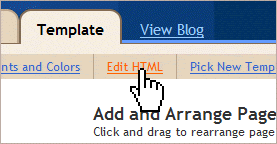
To use this in your blog, you should extract the XML file from the zip folder and save it to your computer. Then go to your Blogger dashboard, and click on Template>Edit HTML. Near the top of this page you will see a link where you can upload a new template from a location on your computer. Browse for the saved template file and click "upload". This will then install your new template in place of the old one.

How to install XML Templates details.

By pagerankings.blogspot.com

Tic-Tac Green- Three column customized template

Here is a three column version of a classic Blogger template: Tic Tac Green.

You can download the XML file for this template using the link below (this is contained within a zip file which you can save to your computer):

Download three column Tic Tac (green) template

I don't know, How to install XML Templates??


By pagerankings.blogspot.com

How to install a Blogger XML template

Ways to install a Blogger XML template

Make sure you have backed up your template before installing a new one.

It is very easy to install XML Templates.(You can also install a HTML template).

1.


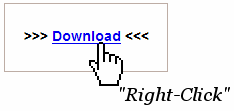
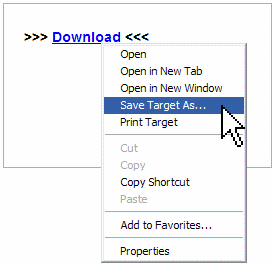
You have to choose a XML Template and then download the code.


2.


Save the XML code to your hard disk drives.From where you could easily find out it later.


3.


After downloading go to your Blogger Control Panel - Edit HTML


4.


Browse the XML file you have saved and upload it.

That's all. Now
see what have happened to your blogger.


By-
www.pagerankings.blogspot.com
How to install a Blogger HTML template

Ways to install a Blogger HTML template

Make sure you have backed up your template before installing a new one.
You'r about to be ensured your previous page was saved properly. Then you can install HTML templates

(You can also install a XML template).

1.

You have to choose a Html Template .Then Download the template.


2.


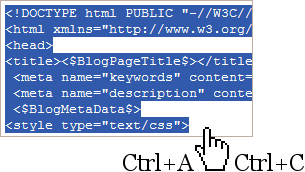
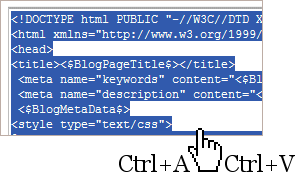
Copy the code (Ctrl A: Select All, Ctrl C: Copy).
Select all and copy the code from the page source.


3.


Go to your Blogger Control Panel - Edit HTML


4.


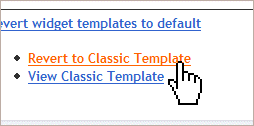
Revert to Classic Template (You can return whenever you want).


5.


Paste the code into the Template area (Ctrl A: Select All, Ctrl V: Paste)


6.


Then click through view blog and see what have happened.

powered by Blogger | WordPress by Newwpthemes | Converted by BloggerTheme